



11-14-2026, 05:52 PM
CyberPanel: Why php -v Shows a Different PHP Version Than Your Website (Tested)
You set your website to PHP 8.5 in CyberPanel, then run
over SSH and it says 8.3. Or Composer complains about the PHP version although the site runs fine. Nothing is broken: the
command in the terminal and the PHP your website uses are two separate things. We checked this on a CyberPanel 3.0.8 server (Ubuntu 24.04) and tested each way to run the right version.
What we saw
Our test site was set to PHP 8.5 in the panel. (Each site's version is shown under Websites → List Websites.)
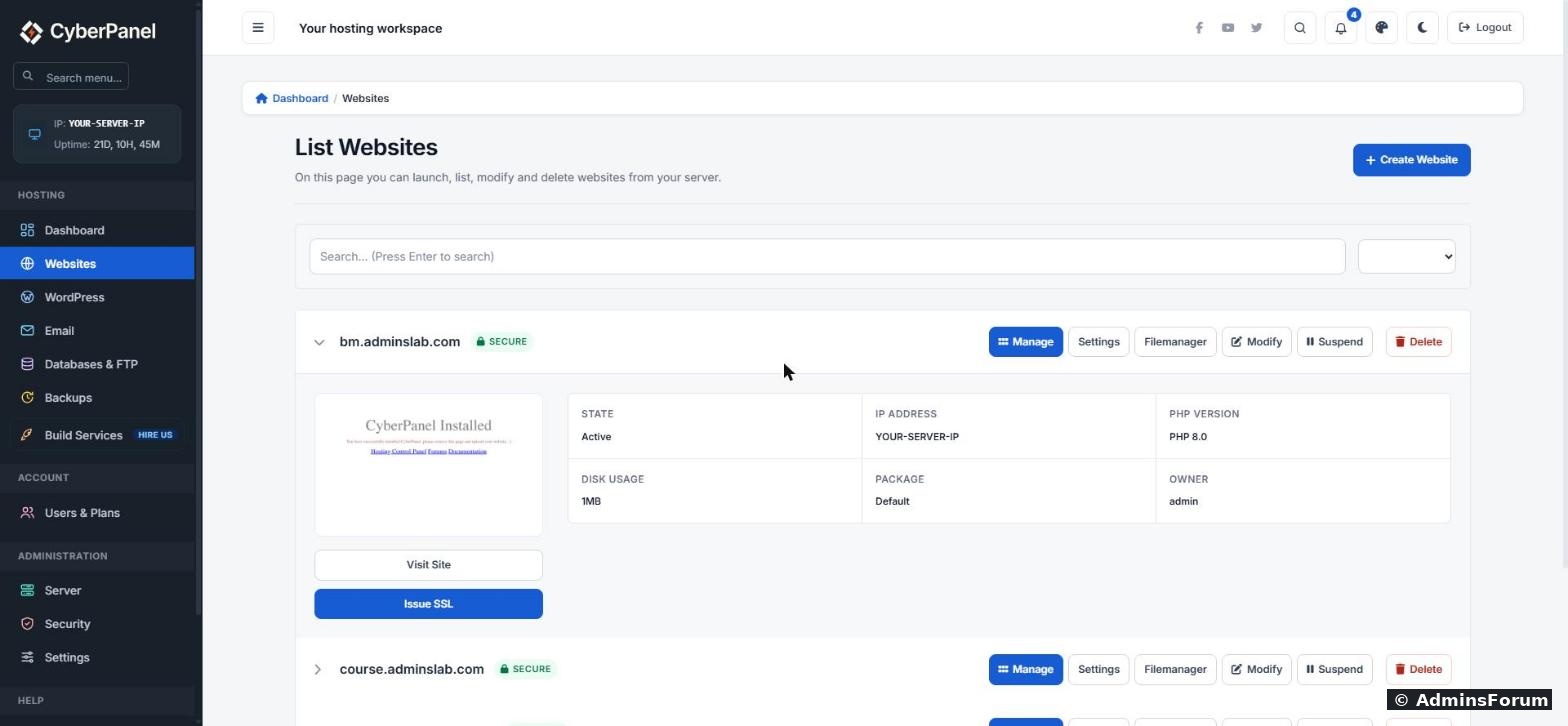
A test page on the site reported 8.5.12. In the terminal:
The reason is one link:
The terminal's
is a fixed shortcut to one version (8.3 on our server). Changing a website's PHP in the panel doesn't touch it.
Every version has its own command
CyberPanel installs each PHP version in its own folder. See which ones you have:
On our server that listed 8.1 to 8.5. To run a specific version, use its full path:
The number is the version without the dot:
is PHP 8.5,
is 8.2.
Composer with the right PHP
Put the PHP path in front of Composer:
We checked with
: it reported PHP version 8.5.12 (/usr/local/lsws/lsphp85/bin/php).
WP-CLI with the right PHP
Same idea:
This reported PHP 8.5.12. One thing that did not work for us: the
variable you'll find in many tutorials. With it set, WP-CLI still used 8.3 on our server. Use the full path instead.
Cron jobs
Cron jobs use the terminal's
too. If a cron job must run with the site's version, write the full path in the cron line:
(See our cron jobs guide in the Websites section for where to add it.)
Change the default for the whole terminal
If all your sites use the same version, you can point the shortcut at it:
We tested it:
then said 8.5.12, and plain
used 8.5.12 as well. To go back, run the same command with
. We put ours back afterwards, because we can't say whether a CyberPanel upgrade resets this link or expects a certain version there. If you change it, check
again after panel upgrades.
Good to know
Questions? Reply below with the output of
and
.
You set your website to PHP 8.5 in CyberPanel, then run
Code:
php -vCode:
phpWhat we saw
Our test site was set to PHP 8.5 in the panel. (Each site's version is shown under Websites → List Websites.)
A test page on the site reported 8.5.12. In the terminal:
Code:
php -v
PHP 8.3.36 (cli)Code:
ls -la /usr/bin/php
/usr/bin/php -> /usr/local/lsws/lsphp83/bin/phpCode:
phpEvery version has its own command
CyberPanel installs each PHP version in its own folder. See which ones you have:
Code:
ls -d /usr/local/lsws/lsphp*/bin/phpCode:
/usr/local/lsws/lsphp85/bin/php -v
/usr/local/lsws/lsphp85/bin/php yourscript.phpCode:
lsphp85Code:
lsphp82Composer with the right PHP
Put the PHP path in front of Composer:
Code:
/usr/local/lsws/lsphp85/bin/php /usr/bin/composer installCode:
composer diagnoseWP-CLI with the right PHP
Same idea:
Code:
/usr/local/lsws/lsphp85/bin/php /usr/local/bin/wp --path=/home/yourdomain.com/public_html cli infoCode:
WP_CLI_PHP=...Cron jobs
Cron jobs use the terminal's
Code:
phpCode:
/usr/local/lsws/lsphp85/bin/php /home/yourdomain.com/public_html/cron.phpChange the default for the whole terminal
If all your sites use the same version, you can point the shortcut at it:
Code:
ln -sfn /usr/local/lsws/lsphp85/bin/php /usr/bin/php
php -vCode:
php -vCode:
wpCode:
lsphp83Code:
php -vGood to know
- Extensions are per version. An extension you installed for 8.3 isn't there in 8.5. Check with
. (See our PHP extensions guide in this section.)Code:/usr/local/lsws/lsphp85/bin/php -m
- Settings can differ too. Each version has its own php.ini, so memory limits in the terminal aren't always the ones your site has.
- A warning on old versions. Running PHP 8.1 in the terminal printed Unable to load dynamic library 'timezonedb.so' on our server. It still worked. The warning comes from an extension line in that version's config.
Questions? Reply below with the output of
Code:
php -vCode:
ls -la /usr/bin/php