



10-16-2026, 01:57 AM
A PHP “Call to undefined function” error means that the function is unavailable in the PHP process running that request. The cause can be a missing extension, the wrong PHP version, an intentionally disabled function, or application code that was not loaded.
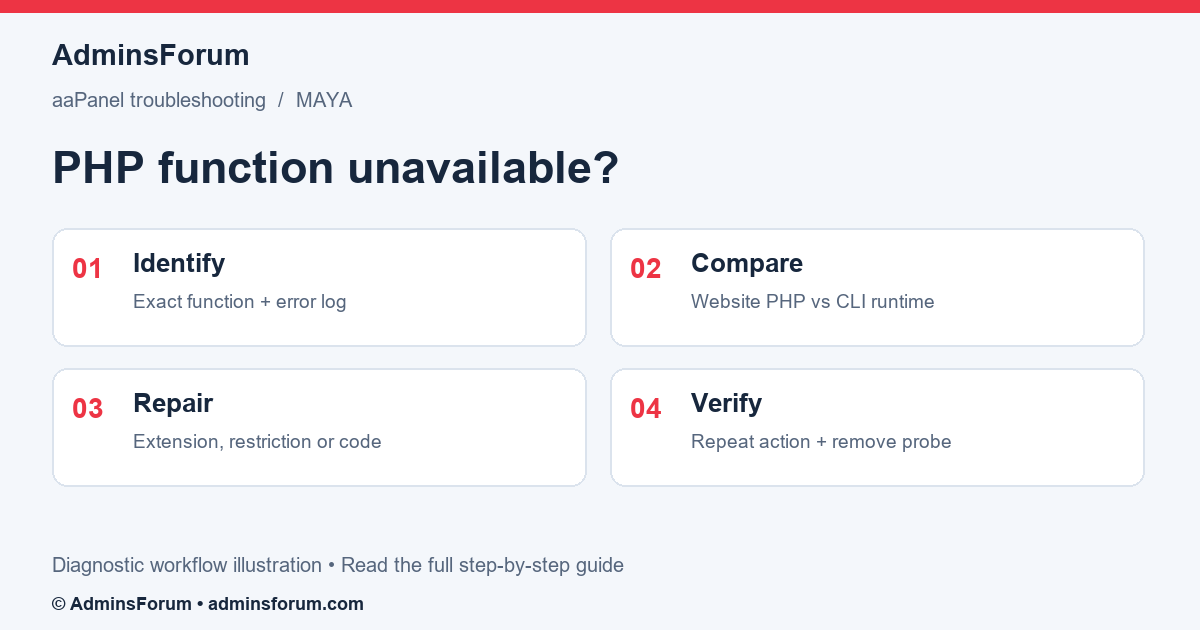
Original AdminsForum diagnostic illustration. The process-local demonstration below was run on PHP 8.5.10; this is not a screenshot of a website repair.
1. Record the exact function and failing action
In aaPanel, open Website → PHP Project → your site → Log and inspect the error log. Names vary by panel version. Record the timestamp, requested path, function name, and first relevant application file/line. If the panel log is empty, inspect the application's configured private log too.
Replace the example path with the site's configured log. Avoid publishing customer paths, tokens, or full request bodies. Keep public PHP error display off.
An example is:
Do not install random extensions until you have identified which function is missing.
2. Check the website's selected PHP version
Open the site's PHP Version setting and note the actual version. A server may have PHP 8.3 and PHP 8.5 installed at the same time. Changing extensions for 8.3 will not repair a site using 8.5.
SSH commands such as show the default command-line interpreter, which may differ from the website. Use an explicit binary when checking CLI:
Use 83 rather than 85 for aaPanel PHP 8.3. These CLI results alone do not establish what PHP-FPM loaded.
3. Use a small private runtime probe
On a lab site or an endpoint protected by an existing access restriction, temporarily run:
Request it through the same site and PHP handler that failed. It displays internal configuration paths, so do not leave it publicly accessible. Remove it after testing. A random filename alone is not access control. This targeted probe avoids exposing a full phpinfo() page.
4. Choose the matching repair
For an extension repair, open App Store → Installed → PHP [the site's version] → Settings → Install extensions. Locate the required extension, install it if available, and wait for the task log to report completion. Some extensions are compiled into PHP or are unavailable for a particular release, so “not in the installer list” does not by itself prove absence. Check the runtime probe.
Follow the panel's reload/restart requirement for that PHP service during an appropriate maintenance window. One PHP service can serve several sites. Test the original action, not only the homepage.
5. Check disabled functions without clearing the protection list
In PHP 8, a function listed in disable_functions can appear undefined even when its extension is loaded. Review the selected PHP version's Disabled functions setting and any applicable pool configuration. Do not remove every entry or enable exec/system just to silence an unrelated error. If the application needs a restricted capability, assess that individual requirement and choose a safer supported alternative where possible.
Controlled demonstration — no service settings changed
We ran this separate CLI process:
It produced:
A normal process then returned 4:
The -d option applied only to that CLI process. We did not remove restrictions from the web server or change a website's configuration. This demonstrates why an undefined function does not automatically mean an extension is missing.
6. Verify and clean up
Repeat the original action once, inspect the new error-log entries, check the private probe, and remove the probe. Confirm that cron jobs use the intended PHP version as well. If the change breaks another dependency, restore the recorded PHP configuration/version and collect the first new error before trying another change.
When asking for support
Include the function name, PHP version, CLI versus website result, extension check, timestamp, and a redacted log excerpt. Do not post passwords, database credentials, or a full phpinfo dump.
Related: PHP maximum execution time errors.
References: PHP function_exists, loaded configuration file, and core PHP configuration directives.
Original AdminsForum diagnostic illustration. The process-local demonstration below was run on PHP 8.5.10; this is not a screenshot of a website repair.
1. Record the exact function and failing action
In aaPanel, open Website → PHP Project → your site → Log and inspect the error log. Names vary by panel version. Record the timestamp, requested path, function name, and first relevant application file/line. If the panel log is empty, inspect the application's configured private log too.
Code:
tail -n 80 /www/wwwlogs/example.com.error.logAn example is:
Code:
PHP Fatal error: Uncaught Error: Call to undefined function mb_strlen()2. Check the website's selected PHP version
Open the site's PHP Version setting and note the actual version. A server may have PHP 8.3 and PHP 8.5 installed at the same time. Changing extensions for 8.3 will not repair a site using 8.5.
SSH commands such as
Code:
php -vCode:
/www/server/php/85/bin/php -v
/www/server/php/85/bin/php --ini
/www/server/php/85/bin/php -m3. Use a small private runtime probe
On a lab site or an endpoint protected by an existing access restriction, temporarily run:
Code:
<?php
header('Content-Type: text/plain; charset=utf-8');
echo 'version=' . PHP_VERSION . PHP_EOL;
echo 'sapi=' . PHP_SAPI . PHP_EOL;
echo 'ini=' . (php_ini_loaded_file() ?: 'none') . PHP_EOL;
echo 'mbstring=' . (extension_loaded('mbstring') ? 'yes' : 'no') . PHP_EOL;
echo 'mb_strlen=' . (function_exists('mb_strlen') ? 'yes' : 'no') . PHP_EOL;4. Choose the matching repair
- Extension function: map the function to its extension in the PHP manual. Examples: mb_strlen → mbstring; curl_init → cURL; imagecreatefromjpeg → GD with JPEG support. mysqli_connect belongs to mysqli; “could not find driver” is a different PDO driver error.
- Wrong PHP runtime: correct the site's selected version or the scheduled task's explicit binary after checking application compatibility. Keep the prior version available for rollback.
- Application function: for a project-specific function, check the required bootstrap/includes and dependencies. Restoring a missing application file is different from installing a PHP extension.
- Removed or renamed function: check the application's support requirements and update its code/dependencies. Do not put an unsupported PHP release on an internet-facing site simply to recover an obsolete function.
For an extension repair, open App Store → Installed → PHP [the site's version] → Settings → Install extensions. Locate the required extension, install it if available, and wait for the task log to report completion. Some extensions are compiled into PHP or are unavailable for a particular release, so “not in the installer list” does not by itself prove absence. Check the runtime probe.
Follow the panel's reload/restart requirement for that PHP service during an appropriate maintenance window. One PHP service can serve several sites. Test the original action, not only the homepage.
5. Check disabled functions without clearing the protection list
In PHP 8, a function listed in disable_functions can appear undefined even when its extension is loaded. Review the selected PHP version's Disabled functions setting and any applicable pool configuration. Do not remove every entry or enable exec/system just to silence an unrelated error. If the application needs a restricted capability, assess that individual requirement and choose a safer supported alternative where possible.
Controlled demonstration — no service settings changed
We ran this separate CLI process:
Code:
/www/server/php/85/bin/php -d disable_functions=mb_strlen -r 'echo mb_strlen("test");'Code:
PHP Fatal error: Uncaught Error: Call to undefined function mb_strlen()Code:
/www/server/php/85/bin/php -r 'echo mb_strlen("test");'6. Verify and clean up
Repeat the original action once, inspect the new error-log entries, check the private probe, and remove the probe. Confirm that cron jobs use the intended PHP version as well. If the change breaks another dependency, restore the recorded PHP configuration/version and collect the first new error before trying another change.
When asking for support
Include the function name, PHP version, CLI versus website result, extension check, timestamp, and a redacted log excerpt. Do not post passwords, database credentials, or a full phpinfo dump.
Related: PHP maximum execution time errors.
References: PHP function_exists, loaded configuration file, and core PHP configuration directives.
