



Yesterday, 07:10 AM
A 502 Bad Gateway response from Nginx usually means it could not get a valid response from the application behind it. For a Flask project, diagnose Gunicorn and the local port before changing DNS or opening firewall ports.
Tested lab: aaPanel Free 8.0.7 on Ubuntu 22.04.5. Project af_flask_lab uses Gunicorn on 127.0.0.1:3200 and Nginx serves flask.adminslab.com. We deliberately stopped this disposable project, reproduced public HTTP 502, then started it and recovered HTTP 200. No production website was stopped.
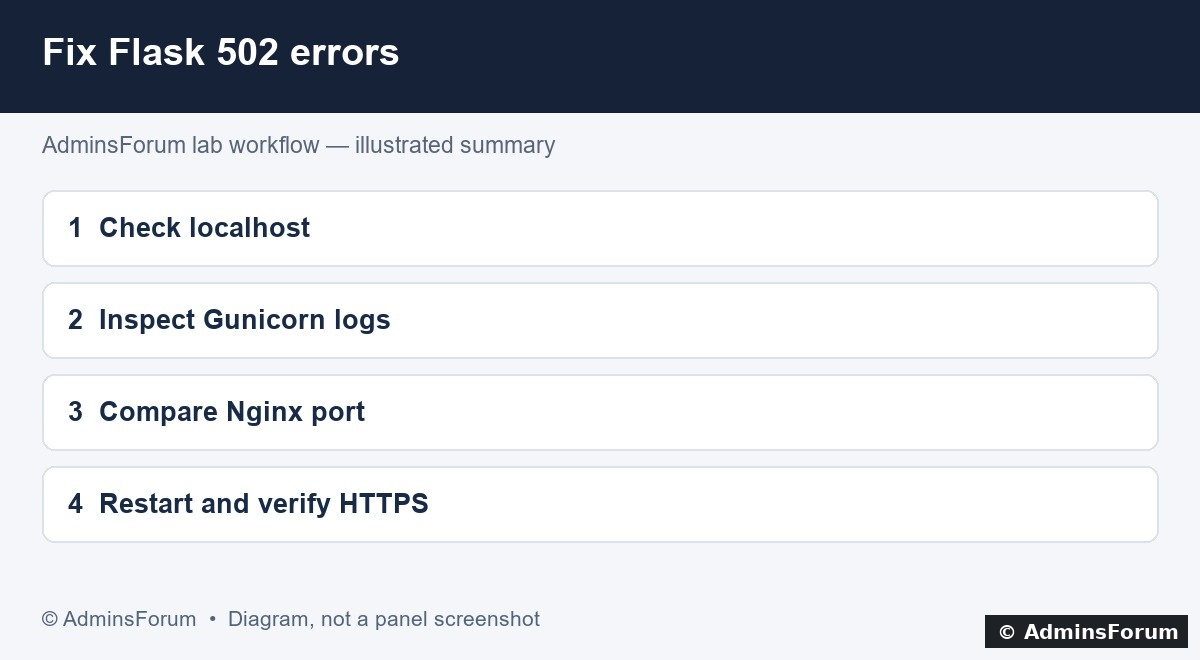
Diagnostic workflow diagram: check the app before changing its proxy configuration.
1. Separate the error from a certificate problem
Open the hostname and record the actual response. A page saying 502 Bad Gateway is different from a TLS certificate warning, DNS failure or application-generated 500. Do not disable certificate validation to make the test appear successful.
2. Test the local application port
From the VPS terminal, replacing 3200 with your actual port:
3. Check aaPanel project status and logs
Open Website → Python Project, click the project name, then open Project logs. In our lab the log is:
Read the newest startup messages. Look for ModuleNotFoundError, an incorrect callable, Permission denied, Address already in use or a missing environment executable. These need different fixes.
For our app, Project information uses:
4. Confirm the right packages are installed
Use the selected environment's Python executable, not an unrelated system pip:
The path above is the actual directory name used by this lab's aaPanel version. Use your environment path if different. Install missing application packages from its reviewed requirements file, then retry startup. Do not solve package errors by installing everything globally as root.
5. Compare the Nginx mapping
In the project window, open Mapping. Confirm external network mapping is enabled and its detected port matches the actual Gunicorn listener. Ensure the domain is attached to this project in Domain Manager.
For our HTTP Gunicorn app, Nginx routes to:
A wrong port or using https for a plain-HTTP upstream can prevent Nginx from connecting. If you edit Nginx configuration, back it up, validate it and reload only after validation succeeds. Avoid replacing the entire configuration with an unrelated example.
6. Start the app and verify both paths
Use the project's Start control after fixing the cause. Wait for the process to initialize, then test localhost and the public hostname again. In our controlled lab test:
If the problem occurs after reboot
Check the native Startup option and allow for its advertised 120-second daemon interval. See Python startup and reboot recovery. That guide also documents a lab-version issue where saving project settings removed the SSL listener; verify HTTPS separately after settings changes.
When asking for support
Share the aaPanel version, startup method, sanitized command, local HTTP result, mapping port and relevant recent log lines. Remove passwords, tokens, cookies, private keys and database connection secrets before posting.
AdminsForum lab-tested troubleshooting guide. Illustration is a workflow diagram, not a screenshot of an error page.
Tested lab: aaPanel Free 8.0.7 on Ubuntu 22.04.5. Project af_flask_lab uses Gunicorn on 127.0.0.1:3200 and Nginx serves flask.adminslab.com. We deliberately stopped this disposable project, reproduced public HTTP 502, then started it and recovered HTTP 200. No production website was stopped.
Diagnostic workflow diagram: check the app before changing its proxy configuration.
1. Separate the error from a certificate problem
Open the hostname and record the actual response. A page saying 502 Bad Gateway is different from a TLS certificate warning, DNS failure or application-generated 500. Do not disable certificate validation to make the test appear successful.
2. Test the local application port
From the VPS terminal, replacing 3200 with your actual port:
Code:
curl -i http://127.0.0.1:3200/
ss -lntp | grep ':3200'- Connection refused/no listener: the app is stopped, failed at startup or bound to another port.
- HTTP 200 locally but 502 publicly: inspect Nginx mapping and compare its upstream with the working listener.
- Application 500 locally: investigate the application traceback, configuration and database dependencies.
3. Check aaPanel project status and logs
Open Website → Python Project, click the project name, then open Project logs. In our lab the log is:
Code:
/www/wwwlogs/python/af_flask_lab/error.logFor our app, Project information uses:
- Environment: af_python_lab
- Path: /www/wwwroot/af-flask-lab
- Startup way: Command Startup
- User: www
- Command: gunicorn --workers 1 --bind 127.0.0.1:3200 app:app
4. Confirm the right packages are installed
Use the selected environment's Python executable, not an unrelated system pip:
Code:
/www/server/pyporject_evn/af_python_lab/bin/python -m pip show Flask gunicorn
/www/server/pyporject_evn/af_python_lab/bin/python -m pip check5. Compare the Nginx mapping
In the project window, open Mapping. Confirm external network mapping is enabled and its detected port matches the actual Gunicorn listener. Ensure the domain is attached to this project in Domain Manager.
For our HTTP Gunicorn app, Nginx routes to:
Code:
proxy_pass http://127.0.0.1:3200;6. Start the app and verify both paths
Use the project's Start control after fixing the cause. Wait for the process to initialize, then test localhost and the public hostname again. In our controlled lab test:
- Before stopping: public HTTPS returned HTTP 200 and AdminsForum Flask lab.
- After the native stop command: public HTTPS returned HTTP 502.
- After the native start command: public HTTPS returned HTTP 200 with the expected Flask response.
If the problem occurs after reboot
Check the native Startup option and allow for its advertised 120-second daemon interval. See Python startup and reboot recovery. That guide also documents a lab-version issue where saving project settings removed the SSL listener; verify HTTPS separately after settings changes.
When asking for support
Share the aaPanel version, startup method, sanitized command, local HTTP result, mapping port and relevant recent log lines. Remove passwords, tokens, cookies, private keys and database connection secrets before posting.
AdminsForum lab-tested troubleshooting guide. Illustration is a workflow diagram, not a screenshot of an error page.