



Yesterday, 06:17 AM
If aaPanel reports that Python virtual-environment creation returned non-zero exit status 1, the popup alone does not identify the cause. In our Ubuntu lab, the selected system Python lacked ensurepip support because its venv package was not installed. Installing the matching Ubuntu package fixed the creation failure.
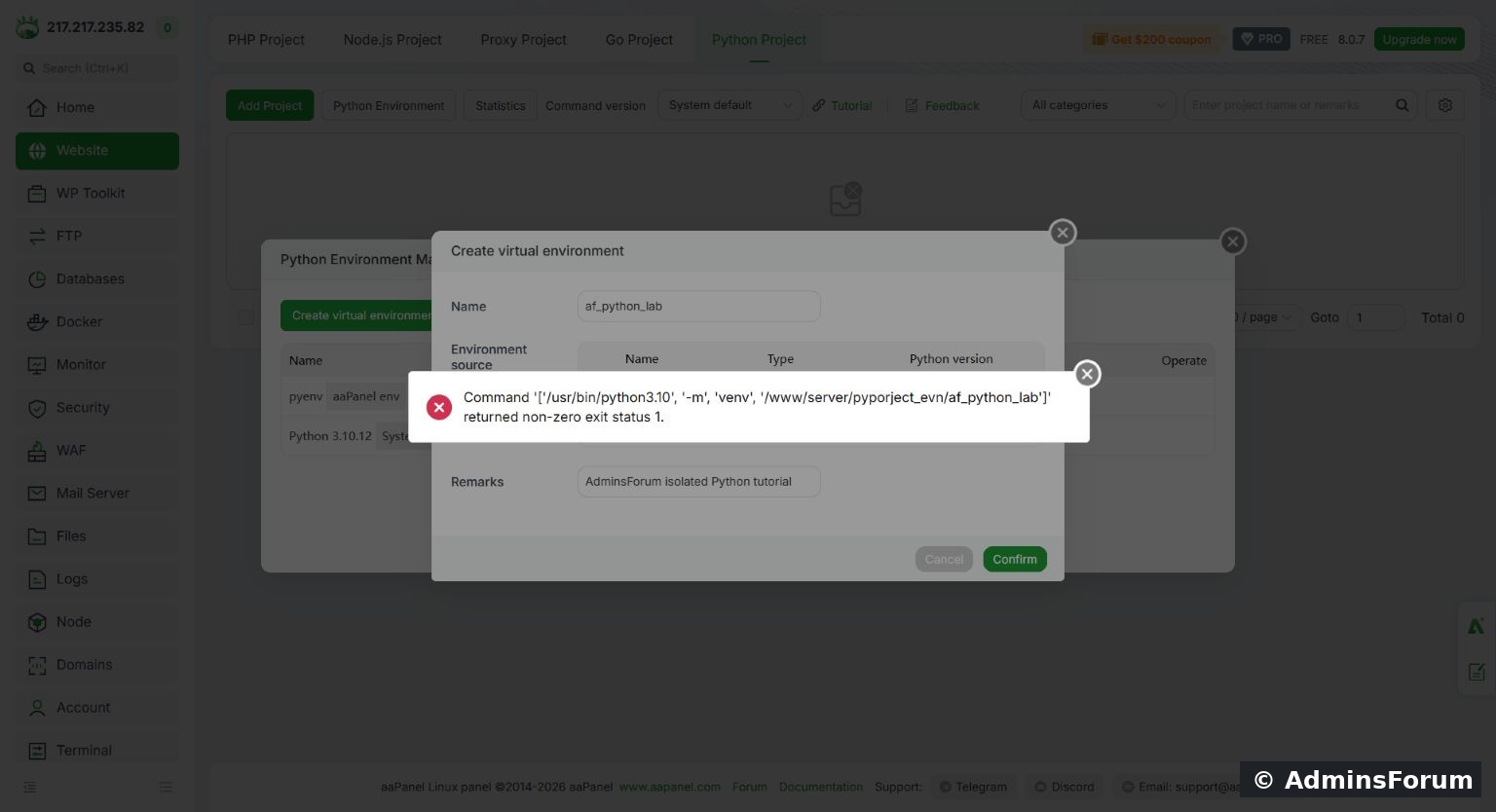
The actual aaPanel virtual-environment creation failure in the lab.
Tested: Ubuntu 22.04.5 LTS, aaPanel Free 8.0.7, selected interpreter /usr/bin/python3.10. Tested on 14 October 2026. The package and paths below apply to this specific combination; do not assume every exit-status-1 error has the same cause.
1. Record the failed command
The popup showed that aaPanel attempted:
Record the interpreter and target directory. Do not delete a working environment to investigate an unrelated creation error.
2. Read the underlying error
Over SSH, repeat the creation command only for the newly failed lab target, or choose a fresh unused diagnostic directory. In our test, the error explained that ensurepip was not available and recommended python3.10-venv.
Use the exact selected interpreter. Running a different python command could test another Python installation and hide the problem.
3. Check the matching package
On our Ubuntu server:
It showed Installed: (none), with a candidate available from Ubuntu's repository. Confirm the selected Python version and repository source before installing a package. Other distributions and vendor-managed interpreters have different prerequisite workflows.
4. Install venv support
As an administrator:
Our package manager installed python3.10-venv and its pip/setuptools wheel prerequisites. No unrelated packages were removed. Keep package-manager errors if installation fails; do not continue as if the prerequisite is ready.
5. Retry the aaPanel form
Return to Website → Python Project → Python Environment. Dismiss the error popup, then retry the new environment's creation form. We used the same selected system interpreter and environment name. It succeeded and appeared in the environment list.
A failed attempt may leave a partial directory. In our lab the retry completed it successfully. Do not recursively delete a directory unless you have verified that it belongs only to the failed disposable attempt and no project uses it.
6. Verify the result
The lab returned Python 3.10.12, pip 22.0.2 inside the new environment and True for the isolation check. Substitute the actual interpreter path from your environment.
If the error continues
Check available disk space, parent-directory permissions, the selected interpreter and the complete command error. Missing ensurepip was our verified cause, not a universal diagnosis. Avoid changing aaPanel's own environment or reinstalling the whole panel before identifying the failure.
Related guide: Create a Python virtual environment in aaPanel.
The actual aaPanel virtual-environment creation failure in the lab.
Tested: Ubuntu 22.04.5 LTS, aaPanel Free 8.0.7, selected interpreter /usr/bin/python3.10. Tested on 14 October 2026. The package and paths below apply to this specific combination; do not assume every exit-status-1 error has the same cause.
1. Record the failed command
The popup showed that aaPanel attempted:
Code:
/usr/bin/python3.10 -m venv /www/server/pyporject_evn/af_python_lab2. Read the underlying error
Over SSH, repeat the creation command only for the newly failed lab target, or choose a fresh unused diagnostic directory. In our test, the error explained that ensurepip was not available and recommended python3.10-venv.
Use the exact selected interpreter. Running a different python command could test another Python installation and hide the problem.
3. Check the matching package
On our Ubuntu server:
Code:
apt-cache policy python3.10-venv4. Install venv support
As an administrator:
Code:
sudo apt-get install python3.10-venv5. Retry the aaPanel form
Return to Website → Python Project → Python Environment. Dismiss the error popup, then retry the new environment's creation form. We used the same selected system interpreter and environment name. It succeeded and appeared in the environment list.
A failed attempt may leave a partial directory. In our lab the retry completed it successfully. Do not recursively delete a directory unless you have verified that it belongs only to the failed disposable attempt and no project uses it.
6. Verify the result
Code:
/www/server/pyporject_evn/af_python_lab/bin/python --version
/www/server/pyporject_evn/af_python_lab/bin/python -m pip --version
/www/server/pyporject_evn/af_python_lab/bin/python -c 'import sys; print(sys.prefix != sys.base_prefix)'If the error continues
Check available disk space, parent-directory permissions, the selected interpreter and the complete command error. Missing ensurepip was our verified cause, not a universal diagnosis. Avoid changing aaPanel's own environment or reinstalling the whole panel before identifying the failure.
Related guide: Create a Python virtual environment in aaPanel.