



10-16-2026, 12:31 PM
Choose an aaPanel web server by checking what your application needs, how its rewrite rules work, which PHP runtime it uses and what you can maintain. Nginx, Apache and OpenLiteSpeed are alternatives to evaluate; installing all three does not automatically make a website faster.
This is a selection and testing guide. We inspected our aaPanel 8.0.7 lab on 16 October 2026 without switching services. Website showed Nginx 1.30.5; the App Store listed installed Nginx 1.30.5, Apache 2.4.62 and OpenLiteSpeed 1.8.5. That inventory is not a performance comparison or proof that every website uses every installed server. Versions shown are lab observations, not recommended version targets.
1. Separate the web server, PHP and database
A web server accepts HTTP requests, serves files and forwards dynamic work as configured. PHP executes your PHP application; MySQL or MariaDB stores its database. Changing the web server does not remove the application's PHP extension requirements or solve an inefficient SQL query automatically.
Start by writing down the application and version, its supported PHP/database versions, required extensions, document root and any required server modules or rewrite rules. Check the application's installation documentation before choosing a stack. For a static HTML site, a database and PHP may not be needed at all.
2. Identify what is already installed and what the site uses
Open Website and record the displayed web server. Inspect the intended site's configuration before drawing conclusions about its request path. Then open App Store to review installed components. An installed application is not the same thing as the server handling a particular website.
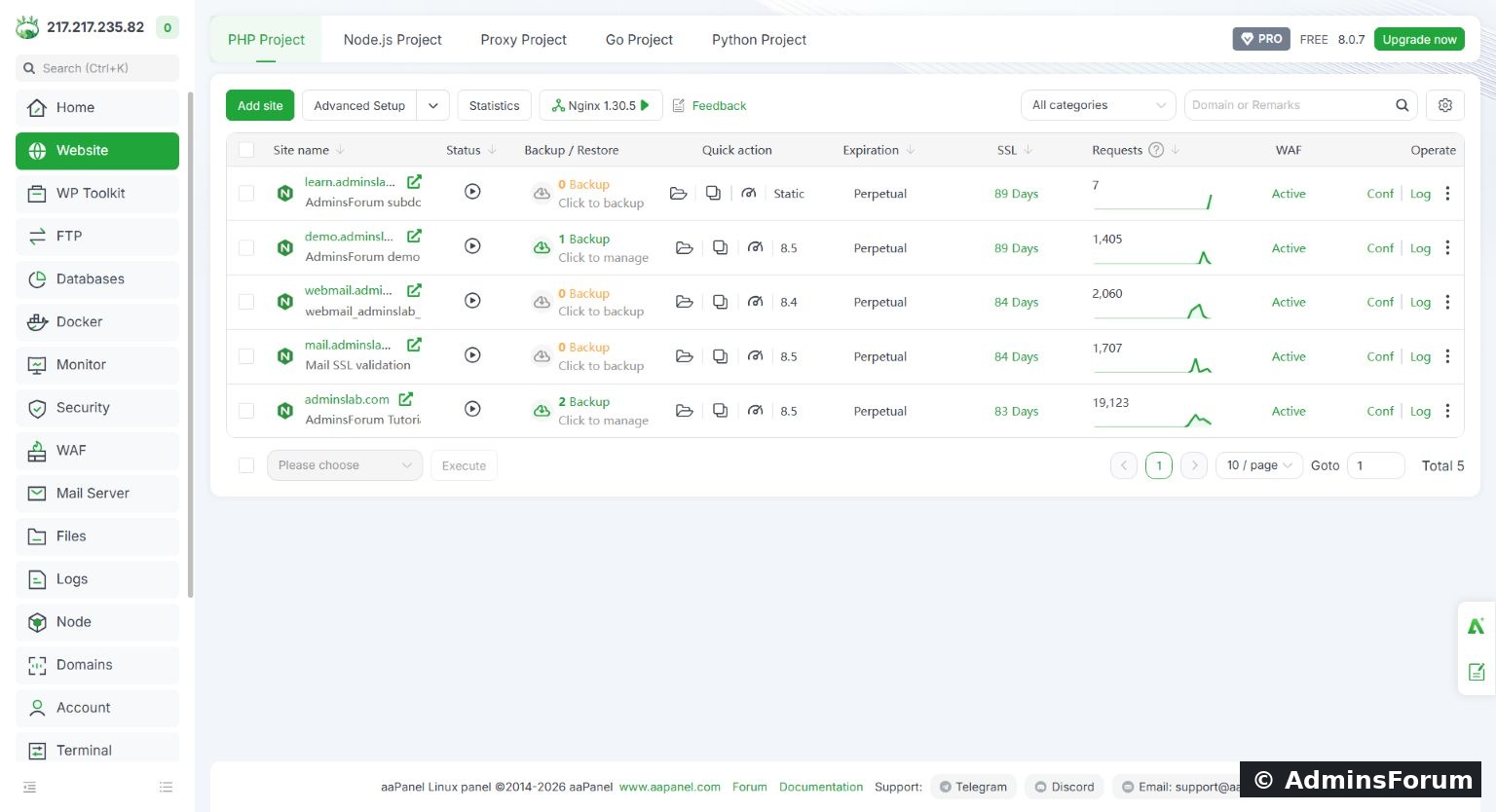
Our lab Website screen showed Nginx 1.30.5, a Static site and other sites assigned PHP versions. Static versus PHP is a runtime distinction, not a web-server benchmark.
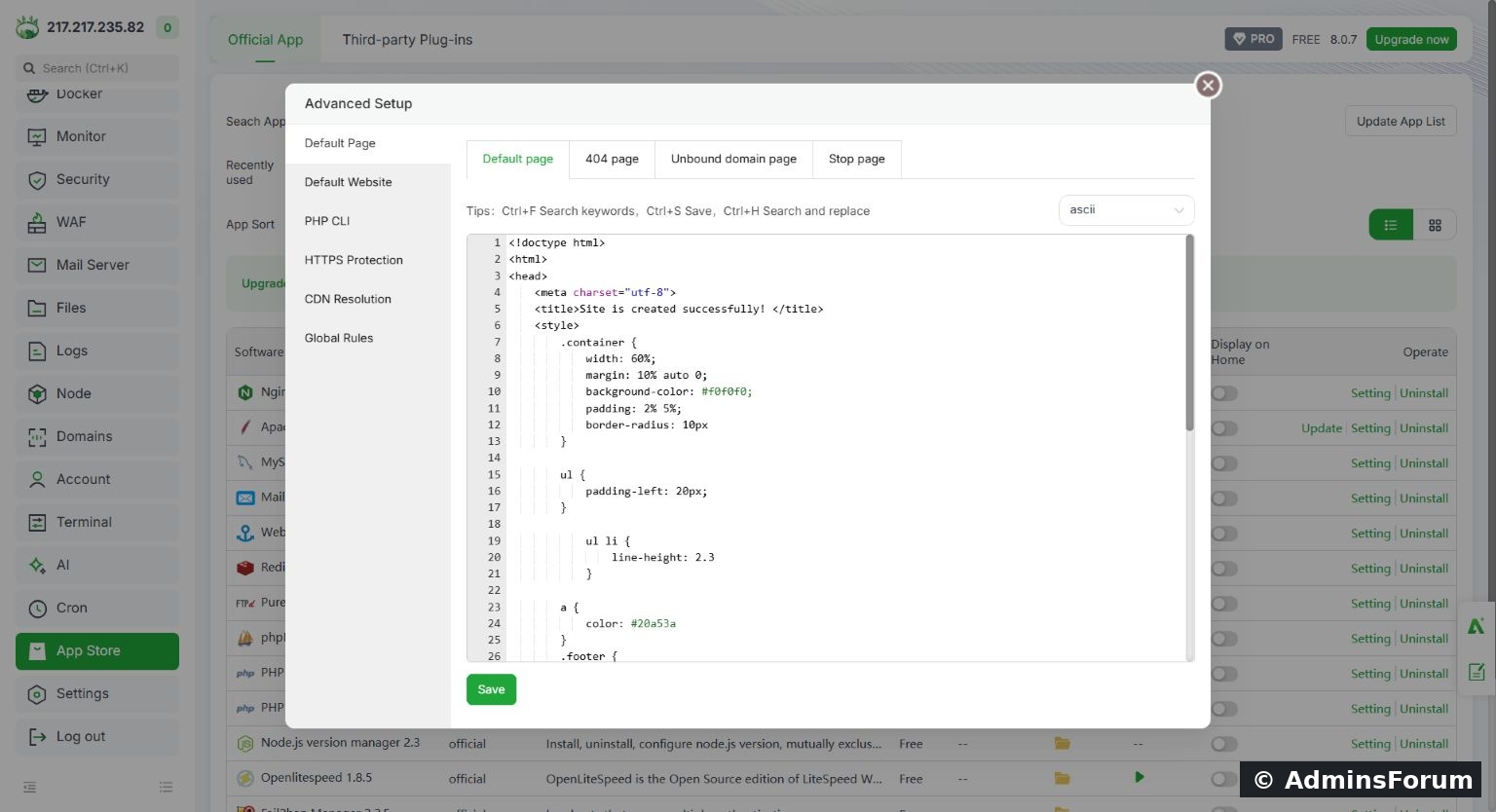
Installed application inventory in the same lab. We did not click Update, Uninstall or change a website's engine for this guide.
3. When Nginx is a useful candidate
Evaluate Nginx for serving static assets and for deployments that use an explicit reverse-proxy or FastCGI configuration. Its configuration uses server and location blocks; copying an Apache configuration file into that context is not a migration strategy. Follow an application-specific configuration and test its routes, file handling and access restrictions.
For a beginner following our existing Nginx-based aaPanel tutorials, keeping that stack avoids changing multiple components at once. This is a teaching convenience, not a claim that Nginx wins every workload. If the application has a hard dependency on another server, that dependency takes priority.
4. When Apache is a useful candidate
Consider Apache when the application depends on Apache modules or configuration behavior. Check the exact directives rather than assuming that any application shipping a .htaccess file requires Apache.
Apache can apply per-directory .htaccess configuration when the relevant overrides permit it. A .htaccess file may be ignored if overrides are disabled, or fail if it contains disallowed directives. When you control the server, Apache recommends using the main configuration where appropriate rather than relying on distributed files unnecessarily.
For a migration, list the rules that must be preserved: front-controller routing, redirects, authentication and access restrictions. Test each function. Do not enable broad overrides merely to suppress an unexplained error.
5. When OpenLiteSpeed is a useful candidate
Evaluate OpenLiteSpeed when you intend to use its application and caching ecosystem, including a supported WordPress deployment. Confirm the application's rewrite and runtime requirements first. OpenLiteSpeed has Apache-style rewrite support, but that does not make every Apache directive or module compatible. Follow its rewrite configuration instructions and required reload/restart behavior when applying changes.
Do not treat OpenLiteSpeed and LiteSpeed Web Server Enterprise as the same product. Also distinguish installing a WordPress cache plugin from verifying that the intended server-side cache actually serves a response. Logged-in sessions, forms and shopping carts need their own correctness checks.
6. Check the PHP runtime and extensions separately
aaPanel's documentation distinguishes its Nginx/Apache PHP installation from the lsphp runtime used by OpenLiteSpeed. For example, it documents /www/server/php/83/bin/php for one PHP 8.3 installation and /usr/local/lsws/lsphp83/bin/php for the OpenLiteSpeed equivalent. These are examples, not a direction to install PHP 8.3.
After a proposed switch, verify the website's actual PHP version and extensions. A successful command from a different CLI binary does not prove the web request has the same environment. Also review scheduled jobs and Composer tasks, which can use a separate CLI runtime.
Use Check OpenLiteSpeed PHP Version and Extensions and Install Imagick for OpenLiteSpeed PHP when those match your application.
7. Decide whether you need Multi-WebServer Hosting
aaPanel documents per-site choices and Nginx proxy combinations with Apache or OpenLiteSpeed. Multi-WebServer Hosting installs additional services and manages their arrangement; it is more than adding a dropdown label. Read the current requirements and back up site configuration before enabling it.
Use it for an identified need, such as testing a site on a different engine while retaining another site's requirements. Check available resources, the full request path and the supported rollback procedure. Do not expose backend service ports publicly just because a documentation table lists them.
Follow Enable Multi-WebServer Hosting and Switch a Website for the separate setup walkthrough. This decision guide did not enable the feature or switch a site.
8. Compare with the same application and test plan
Prepare a staging copy and a restore plan before changing a working site. Keep application data, PHP compatibility and test conditions comparable. Record the starting configuration, cache state, request type and expected result. A cached anonymous home page and an uncached checkout request are different workloads.
First test correctness: HTTPS, redirects, a nested route, login, uploads, scheduled jobs and any API/webhook the site needs. Then measure response times, errors and resource use at a controlled request rate. Include uncached dynamic work and a logged-in flow where relevant. Avoid running an uncontrolled load test against a production server.
Compare observed results rather than vendor slogans or one screenshot. A slow database, external API or exhausted PHP pool may remain the bottleneck whichever web server accepts the request. Change one component at a time and repeat the same checks after rollback if results regress.
A practical choice for a new website
Next steps
Start with Install Nginx in aaPanel, or use Switch WordPress to OpenLiteSpeed and Test Rollback and Verify LiteSpeed Cache Hits for that specific route. Find more Getting Started Guides.
References
aaPanel Multi-WebServer Hosting and PHP runtimes.
Nginx Beginner's Guide.
Apache .htaccess documentation.
OpenLiteSpeed rewrite rules.
This is a selection and testing guide. We inspected our aaPanel 8.0.7 lab on 16 October 2026 without switching services. Website showed Nginx 1.30.5; the App Store listed installed Nginx 1.30.5, Apache 2.4.62 and OpenLiteSpeed 1.8.5. That inventory is not a performance comparison or proof that every website uses every installed server. Versions shown are lab observations, not recommended version targets.
1. Separate the web server, PHP and database
A web server accepts HTTP requests, serves files and forwards dynamic work as configured. PHP executes your PHP application; MySQL or MariaDB stores its database. Changing the web server does not remove the application's PHP extension requirements or solve an inefficient SQL query automatically.
Start by writing down the application and version, its supported PHP/database versions, required extensions, document root and any required server modules or rewrite rules. Check the application's installation documentation before choosing a stack. For a static HTML site, a database and PHP may not be needed at all.
2. Identify what is already installed and what the site uses
Open Website and record the displayed web server. Inspect the intended site's configuration before drawing conclusions about its request path. Then open App Store to review installed components. An installed application is not the same thing as the server handling a particular website.
Our lab Website screen showed Nginx 1.30.5, a Static site and other sites assigned PHP versions. Static versus PHP is a runtime distinction, not a web-server benchmark.
Installed application inventory in the same lab. We did not click Update, Uninstall or change a website's engine for this guide.
3. When Nginx is a useful candidate
Evaluate Nginx for serving static assets and for deployments that use an explicit reverse-proxy or FastCGI configuration. Its configuration uses server and location blocks; copying an Apache configuration file into that context is not a migration strategy. Follow an application-specific configuration and test its routes, file handling and access restrictions.
For a beginner following our existing Nginx-based aaPanel tutorials, keeping that stack avoids changing multiple components at once. This is a teaching convenience, not a claim that Nginx wins every workload. If the application has a hard dependency on another server, that dependency takes priority.
4. When Apache is a useful candidate
Consider Apache when the application depends on Apache modules or configuration behavior. Check the exact directives rather than assuming that any application shipping a .htaccess file requires Apache.
Apache can apply per-directory .htaccess configuration when the relevant overrides permit it. A .htaccess file may be ignored if overrides are disabled, or fail if it contains disallowed directives. When you control the server, Apache recommends using the main configuration where appropriate rather than relying on distributed files unnecessarily.
For a migration, list the rules that must be preserved: front-controller routing, redirects, authentication and access restrictions. Test each function. Do not enable broad overrides merely to suppress an unexplained error.
5. When OpenLiteSpeed is a useful candidate
Evaluate OpenLiteSpeed when you intend to use its application and caching ecosystem, including a supported WordPress deployment. Confirm the application's rewrite and runtime requirements first. OpenLiteSpeed has Apache-style rewrite support, but that does not make every Apache directive or module compatible. Follow its rewrite configuration instructions and required reload/restart behavior when applying changes.
Do not treat OpenLiteSpeed and LiteSpeed Web Server Enterprise as the same product. Also distinguish installing a WordPress cache plugin from verifying that the intended server-side cache actually serves a response. Logged-in sessions, forms and shopping carts need their own correctness checks.
6. Check the PHP runtime and extensions separately
aaPanel's documentation distinguishes its Nginx/Apache PHP installation from the lsphp runtime used by OpenLiteSpeed. For example, it documents /www/server/php/83/bin/php for one PHP 8.3 installation and /usr/local/lsws/lsphp83/bin/php for the OpenLiteSpeed equivalent. These are examples, not a direction to install PHP 8.3.
After a proposed switch, verify the website's actual PHP version and extensions. A successful command from a different CLI binary does not prove the web request has the same environment. Also review scheduled jobs and Composer tasks, which can use a separate CLI runtime.
Use Check OpenLiteSpeed PHP Version and Extensions and Install Imagick for OpenLiteSpeed PHP when those match your application.
7. Decide whether you need Multi-WebServer Hosting
aaPanel documents per-site choices and Nginx proxy combinations with Apache or OpenLiteSpeed. Multi-WebServer Hosting installs additional services and manages their arrangement; it is more than adding a dropdown label. Read the current requirements and back up site configuration before enabling it.
Use it for an identified need, such as testing a site on a different engine while retaining another site's requirements. Check available resources, the full request path and the supported rollback procedure. Do not expose backend service ports publicly just because a documentation table lists them.
Follow Enable Multi-WebServer Hosting and Switch a Website for the separate setup walkthrough. This decision guide did not enable the feature or switch a site.
8. Compare with the same application and test plan
Prepare a staging copy and a restore plan before changing a working site. Keep application data, PHP compatibility and test conditions comparable. Record the starting configuration, cache state, request type and expected result. A cached anonymous home page and an uncached checkout request are different workloads.
First test correctness: HTTPS, redirects, a nested route, login, uploads, scheduled jobs and any API/webhook the site needs. Then measure response times, errors and resource use at a controlled request rate. Include uncached dynamic work and a logged-in flow where relevant. Avoid running an uncontrolled load test against a production server.
Compare observed results rather than vendor slogans or one screenshot. A slow database, external API or exhausted PHP pool may remain the bottleneck whichever web server accepts the request. Change one component at a time and repeat the same checks after rollback if results regress.
A practical choice for a new website
- No special server dependency and following our existing setup series: begin with its documented Nginx stack, then measure before considering a change.
- Required Apache module or verified Apache-specific behavior: evaluate Apache with that requirement explicitly tested.
- Planning an OpenLiteSpeed/WordPress cache setup: evaluate OpenLiteSpeed, its PHP environment and actual cache behavior together.
- Different sites genuinely need different engines: assess Multi-WebServer Hosting after understanding the extra services and recovery steps.
Next steps
Start with Install Nginx in aaPanel, or use Switch WordPress to OpenLiteSpeed and Test Rollback and Verify LiteSpeed Cache Hits for that specific route. Find more Getting Started Guides.
References
aaPanel Multi-WebServer Hosting and PHP runtimes.
Nginx Beginner's Guide.
Apache .htaccess documentation.
OpenLiteSpeed rewrite rules.