



10-16-2026, 02:10 AM
A PHP “Failed opening required” error means the application could not load a file that it needs to continue. Read the earlier warning first: a missing file, wrong path, permission failure and open_basedir restriction need different repairs.
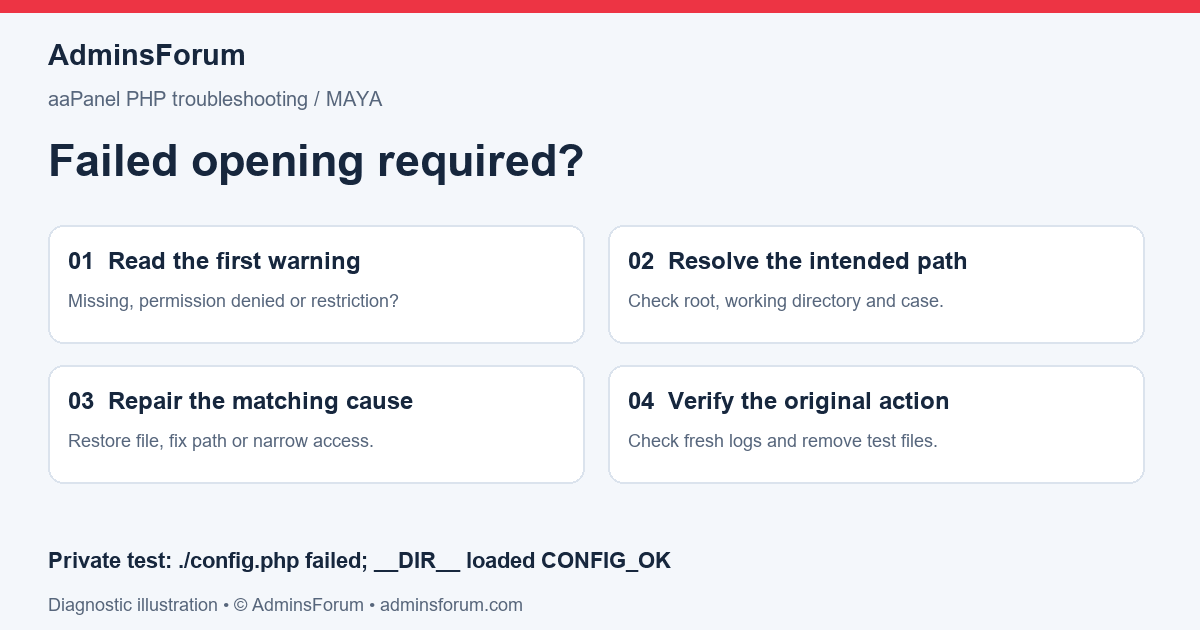
Original AdminsForum diagnostic illustration. The directory test below used disposable private files outside every website; no live application files were changed.
1. Capture the first warning and the final error
In aaPanel, open Website → PHP Project → the affected site → Log and inspect its error log. The exact labels depend on your panel version. Also check the application's own configured private log if it handles errors separately.
Replace this example with the configured path. Note the timestamp, request path, PHP version, required filename and the application file/line that attempted to load it. Redact customer paths and secrets before sharing logs. Keep public error display disabled.
Typical clues:
2. Confirm the application directory in aaPanel
Open the site's Website directory settings and record its root and running directory. Framework projects often serve a public subdirectory while keeping application code above it. Do not move private configuration into the public directory simply to make require succeed.
In Files, navigate to the expected deployment and look for the required file. Compare the name exactly, including upper/lowercase. A deployment that worked on a case-insensitive workstation may fail on Linux. Check whether a release symlink points to the expected release and whether the whole release was uploaded.
For a known, fixed path, these SSH checks are read-only:
The first reports the target file's ownership and mode; the second shows the path components. If namei is unavailable, inspect the relevant parent directories individually. Do not paste a real configuration file's contents into a support thread.
3. Separate a relative-path bug from a missing file
This path explicitly starts from the current working directory:
A scheduled task, worker, or application call to chdir() can change that directory. The file may exist beside the script while PHP is looking somewhere else.
For a file that is deliberately beside the current source file, use:
For an application with a different layout, construct the correct fixed path from its documented bootstrap location. Do not blindly replace every require statement or build include paths from request parameters.
Reproducible private test
We created this disposable layout:
config.php printed CONFIG_OK. bad.php used require './config.php'; good.php used require __DIR__ . '/config.php';. Both scripts were launched with runner as the working directory, using aaPanel's PHP 8.5 binary.
Observed results:
The test changed only how our sample located its file. It does not establish that a real site's missing-file error has the same cause, and a CLI success does not prove PHP-FPM has the same permissions or configuration.
4. Check dependencies and incomplete releases
If the missing file is vendor/autoload.php, inspect the application's deployment instructions and lock file. A project may intentionally exclude vendor from source control and require a dependency-install step. Restore/build dependencies for that exact release using the project's supported workflow, expected PHP version, and deployment user.
Do not download a random autoload.php or run an unreviewed dependency update on production to fill the gap. An update can change package versions rather than reproduce the approved release. Test a complete release in staging and keep the previous working release for rollback.
5. Check access as the PHP worker, not only as root
A file readable by an SSH administrator may still be unreadable to the website's PHP worker. Inspect the affected site's configured PHP-FPM pool user/group and deployment ownership. Parent directories require traversal access, and the file requires read access. Do not assume every aaPanel installation uses the same worker identity.
If permitted by your server's administration policy, test the known file using the actual worker identity:
Replace SITE_PHP_USER with the verified worker user. Exit 0 indicates that this OS-level check succeeded; it does not test PHP's open_basedir or every application constraint. Do not publish the file's contents during the check.
Apply only the necessary ownership/mode correction for your deployment model. Do not recursively chmod 777 the website or make credentials world-readable. Preserve a record of the original modes and ownership so you can reverse an incorrect change.
6. Investigate restrictions without disabling them globally
If the log names open_basedir, compare the resolved required path with the website's allowed directory configuration. Symlink resolution can matter. Use a supported project layout and the narrow appropriate configuration for that site. Do not disable isolation for all websites or point an application at another customer's files.
Related: Fix open_basedir restriction errors in aaPanel.
7. Verify the real request and the scheduled task
Back up the file or release before editing. Make one targeted change, then repeat the original request once and inspect fresh logs. Test any cron job separately with its explicit PHP binary and working directory. A homepage that opens is not enough if the error occurred in a worker or checkout.
Do not use @require to hide the warning or replace require with include just to continue after a critical configuration file fails. Restore the previous release/configuration if verification fails, then compare the first new error.
8. Clean up and ask for useful help
Remove temporary diagnostic files after testing. Share the redacted error pair, PHP version/SAPI, script location, expected target, current-directory finding and whether the file is readable to the correct worker. Never share passwords, .env contents, private keys or a full configuration dump.
Related: PHP undefined-function errors.
References: PHP require, PHP __DIR__, and PHP readability checks.
Original AdminsForum diagnostic illustration. The directory test below used disposable private files outside every website; no live application files were changed.
1. Capture the first warning and the final error
In aaPanel, open Website → PHP Project → the affected site → Log and inspect its error log. The exact labels depend on your panel version. Also check the application's own configured private log if it handles errors separately.
Code:
tail -n 80 /www/wwwlogs/example.com.error.logTypical clues:
- No such file or directory: verify deployment contents, filename case and the resolved path.
- Permission denied: inspect the PHP worker's access to the file and every parent directory.
- open_basedir restriction in effect: follow the restriction-specific investigation; an existing file can still be outside the allowed paths.
2. Confirm the application directory in aaPanel
Open the site's Website directory settings and record its root and running directory. Framework projects often serve a public subdirectory while keeping application code above it. Do not move private configuration into the public directory simply to make require succeed.
In Files, navigate to the expected deployment and look for the required file. Compare the name exactly, including upper/lowercase. A deployment that worked on a case-insensitive workstation may fail on Linux. Check whether a release symlink points to the expected release and whether the whole release was uploaded.
For a known, fixed path, these SSH checks are read-only:
Code:
ls -l /www/wwwroot/example.com/config.php
namei -l /www/wwwroot/example.com/config.php3. Separate a relative-path bug from a missing file
This path explicitly starts from the current working directory:
Code:
require './config.php';For a file that is deliberately beside the current source file, use:
Code:
require __DIR__ . '/config.php';Reproducible private test
We created this disposable layout:
Code:
private-test/
  app/
    config.php
    bad.php
    good.php
runner/Observed results:
Code:
Relative path: exit 255; Failed opening required; config not loaded
__DIR__ path: exit 0; CONFIG_OK
Temporary fixture: cleaned up4. Check dependencies and incomplete releases
If the missing file is vendor/autoload.php, inspect the application's deployment instructions and lock file. A project may intentionally exclude vendor from source control and require a dependency-install step. Restore/build dependencies for that exact release using the project's supported workflow, expected PHP version, and deployment user.
Do not download a random autoload.php or run an unreviewed dependency update on production to fill the gap. An update can change package versions rather than reproduce the approved release. Test a complete release in staging and keep the previous working release for rollback.
5. Check access as the PHP worker, not only as root
A file readable by an SSH administrator may still be unreadable to the website's PHP worker. Inspect the affected site's configured PHP-FPM pool user/group and deployment ownership. Parent directories require traversal access, and the file requires read access. Do not assume every aaPanel installation uses the same worker identity.
If permitted by your server's administration policy, test the known file using the actual worker identity:
Code:
sudo -u SITE_PHP_USER test -r /www/wwwroot/example.com/config.php
echo $?Apply only the necessary ownership/mode correction for your deployment model. Do not recursively chmod 777 the website or make credentials world-readable. Preserve a record of the original modes and ownership so you can reverse an incorrect change.
6. Investigate restrictions without disabling them globally
If the log names open_basedir, compare the resolved required path with the website's allowed directory configuration. Symlink resolution can matter. Use a supported project layout and the narrow appropriate configuration for that site. Do not disable isolation for all websites or point an application at another customer's files.
Related: Fix open_basedir restriction errors in aaPanel.
7. Verify the real request and the scheduled task
Back up the file or release before editing. Make one targeted change, then repeat the original request once and inspect fresh logs. Test any cron job separately with its explicit PHP binary and working directory. A homepage that opens is not enough if the error occurred in a worker or checkout.
Do not use @require to hide the warning or replace require with include just to continue after a critical configuration file fails. Restore the previous release/configuration if verification fails, then compare the first new error.
8. Clean up and ask for useful help
Remove temporary diagnostic files after testing. Share the redacted error pair, PHP version/SAPI, script location, expected target, current-directory finding and whether the file is readable to the correct worker. Never share passwords, .env contents, private keys or a full configuration dump.
Related: PHP undefined-function errors.
References: PHP require, PHP __DIR__, and PHP readability checks.
