



6 hours ago
If a PHP page returns “File not found” and the Nginx error log says “Primary script unknown,” investigate the script path sent to PHP-FPM. Restarting PHP or raising memory limits does not correct a wrong filename.
This guide follows the request from the website's document root to PHP-FPM. We reproduced a deliberate filename mismatch on a private aaPanel lab endpoint and verified recovery by correcting only that path. Other causes still need evidence from your own logs.
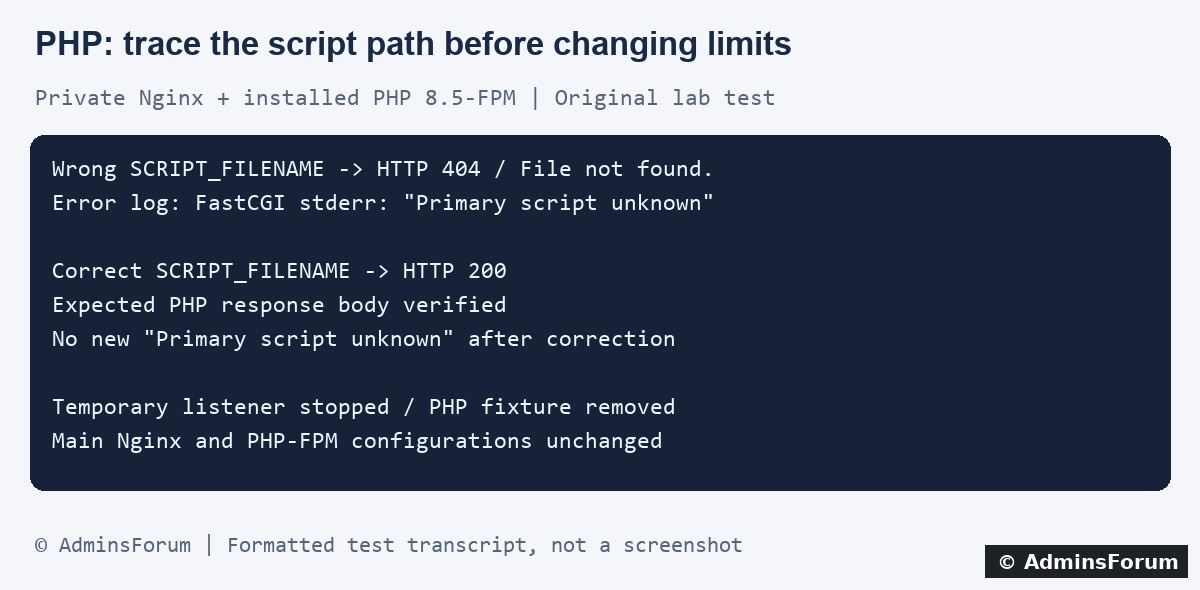
Original AdminsForum lab evidence, presented as a formatted transcript rather than a screenshot.
1. Separate this error from other 404 responses
A missing static image, an application route that does not exist and a PHP script-path error can all produce 404. The status alone cannot distinguish them. Record the exact request path, time and timezone, then check the matching error entry.
In aaPanel open Website → PHP Project, locate the affected site and use Log → Error log. Check the access log for the same request. Labels may differ by panel version. Our lab site's files are:
A short SSH check, using your actual configured domain and log path, is:
Do not publish complete logs or configuration dumps; redact private query strings, credentials and customer details.
2. Identify which PHP handler received the request
Our failing error entry included:
Its upstream field identified the local PHP 8.5-FPM socket used in our test. Your website may use another PHP version or socket. Confirm the site's selected PHP version and its active configuration instead of copying a socket path from a tutorial.
This message shows that the FastCGI handler responded with a script problem. A connection-refused or missing-socket error points to a different investigation. Do not assume a working command-line PHP binary proves the website uses that same PHP version.
3. Compare the public document root with the deployed files
Open the site's directory settings and inspect the configured website root and, where applicable, its running directory. Then locate the application's intended public entry point in File Manager.
For an illustrative deployment:
These are examples, not paths tested on your website. Follow the application's deployment requirements. Do not point the website at a private application directory merely to make an entry file reachable; that can expose configuration or other non-public files.
Check for a moved deployment, wrong folder name, filename case mismatch, missing release or a broken symlink. Linux filenames are case-sensitive. A file you can see in one directory does not prove PHP-FPM is being told to execute that same file.
4. Trace the filename passed to PHP-FPM
In a conventional Nginx root-based PHP setup, a configuration may construct the path like this:
For example, a root of /www/wwwroot/example.com/public and a script name of /index.php would form /www/wwwroot/example.com/public/index.php. Inspect the active root, matching location and included PHP configuration together. Alias-based mappings, rewrites and path-info configurations require additional care; the simple example is not a universal replacement.
Do not paste an extra SCRIPT_FILENAME directive on top of the panel's existing PHP include. Find the authoritative setting first. Changing a shared include can affect other websites, so back it up and understand its scope before editing anything.
5. What our isolated test proved
The experiment used Nginx 1.30.5 and the installed PHP 8.5-FPM service. A separate Nginx instance listened only on loopback and accepted one exact test path. It did not alter the real website's routing.
This was a filename-mapping experiment, not a full application repair. It does not prove that your deployment has identical permissions, routing or filesystem restrictions.
6. If the path looks correct, check access and restrictions
7. Apply the smallest justified correction
Back up the affected website configuration and record the current directory settings. Correct the demonstrated mismatch in the intended site scope. If an application deployment is incomplete, restore the missing release or entry point from the correct source rather than inventing a new index.php.
Validate the complete Nginx configuration before applying a configuration change. If validation fails, restore the backup and investigate the reported line. Do not disable path checks or security controls as a generic repair.
8. Verify both execution and exposure
Request one safe PHP page and confirm its expected content, not just status 200. Check that the error log has no new matching entry. Test an ordinary application route and a static asset, then confirm private application files remain inaccessible through the website.
Remove any temporary diagnostic file you created. Avoid leaving phpinfo pages online. Keep the original configuration backup and record which path changed so you can roll back if another route breaks.
Related guides
Locate website logs in aaPanel
Investigate PHP HTTP 500 errors
Review file permissions and ownership
Technical references
Nginx FastCGI parameter documentation
How Nginx processes requests
This guide follows the request from the website's document root to PHP-FPM. We reproduced a deliberate filename mismatch on a private aaPanel lab endpoint and verified recovery by correcting only that path. Other causes still need evidence from your own logs.
Original AdminsForum lab evidence, presented as a formatted transcript rather than a screenshot.
1. Separate this error from other 404 responses
A missing static image, an application route that does not exist and a PHP script-path error can all produce 404. The status alone cannot distinguish them. Record the exact request path, time and timezone, then check the matching error entry.
In aaPanel open Website → PHP Project, locate the affected site and use Log → Error log. Check the access log for the same request. Labels may differ by panel version. Our lab site's files are:
Code:
/www/wwwlogs/adminslab.com.error.log
/www/wwwlogs/adminslab.com.logCode:
tail -n 100 /www/wwwlogs/example.com.error.log2. Identify which PHP handler received the request
Our failing error entry included:
Code:
FastCGI sent in stderr: "Primary script unknown"
while reading response header from upstreamThis message shows that the FastCGI handler responded with a script problem. A connection-refused or missing-socket error points to a different investigation. Do not assume a working command-line PHP binary proves the website uses that same PHP version.
3. Compare the public document root with the deployed files
Open the site's directory settings and inspect the configured website root and, where applicable, its running directory. Then locate the application's intended public entry point in File Manager.
For an illustrative deployment:
Code:
Application directory: /www/wwwroot/example.com/app
Public web directory:  /www/wwwroot/example.com/app/public
Public entry point: /www/wwwroot/example.com/app/public/index.phpCheck for a moved deployment, wrong folder name, filename case mismatch, missing release or a broken symlink. Linux filenames are case-sensitive. A file you can see in one directory does not prove PHP-FPM is being told to execute that same file.
4. Trace the filename passed to PHP-FPM
In a conventional Nginx root-based PHP setup, a configuration may construct the path like this:
Code:
fastcgi_param SCRIPT_FILENAME $document_root$fastcgi_script_name;Do not paste an extra SCRIPT_FILENAME directive on top of the panel's existing PHP include. Find the authoritative setting first. Changing a shared include can affect other websites, so back it up and understand its scope before editing anything.
5. What our isolated test proved
The experiment used Nginx 1.30.5 and the installed PHP 8.5-FPM service. A separate Nginx instance listened only on loopback and accepted one exact test path. It did not alter the real website's routing.
- First, the private configuration sent a deliberately nonexistent script filename to PHP-FPM. The response was 404 with File not found, and the error log recorded Primary script unknown.
- Next, we changed only that test filename to an existing, harmless PHP fixture. The response became 200 and contained the expected AdminsForum test message.
- The error-log section after correction contained no new matching Primary script unknown error.
This was a filename-mapping experiment, not a full application repair. It does not prove that your deployment has identical permissions, routing or filesystem restrictions.
6. If the path looks correct, check access and restrictions
- Confirm the target file actually exists at the computed absolute path and that each parent directory can be traversed by the relevant service account.
- Check file ownership and read permissions against your deployment's intended accounts. Do not recursively apply 777 permissions or change the ownership of the whole server.
- If a pool uses a filesystem jail or other path restrictions, compare the path visible inside that environment. A host-side path may not mean the same thing there.
- Look for a specific open_basedir or permission-denied message. Keep the protection enabled while correcting an unintended path or narrowly reviewing the required access.
- For framework routes, verify the expected entry point and application rewrite rules separately. A good index.php path does not automatically fix every missing application route.
7. Apply the smallest justified correction
Back up the affected website configuration and record the current directory settings. Correct the demonstrated mismatch in the intended site scope. If an application deployment is incomplete, restore the missing release or entry point from the correct source rather than inventing a new index.php.
Validate the complete Nginx configuration before applying a configuration change. If validation fails, restore the backup and investigate the reported line. Do not disable path checks or security controls as a generic repair.
8. Verify both execution and exposure
Request one safe PHP page and confirm its expected content, not just status 200. Check that the error log has no new matching entry. Test an ordinary application route and a static asset, then confirm private application files remain inaccessible through the website.
Remove any temporary diagnostic file you created. Avoid leaving phpinfo pages online. Keep the original configuration backup and record which path changed so you can roll back if another route breaks.
Related guides
Locate website logs in aaPanel
Investigate PHP HTTP 500 errors
Review file permissions and ownership
Technical references
Nginx FastCGI parameter documentation
How Nginx processes requests