



3 hours ago
“Maximum execution time exceeded” is a PHP fatal error. Confirm that exact message, the website's effective PHP settings and the work being performed before raising a timeout. A slow browser request can also fail at other layers.
This guide reproduces the PHP error with a short, bounded synthetic CPU workload on a private endpoint. A smaller workload completes under the same request-local limit. It is a timeout demonstration, not a claim that we optimized or completed a real import.
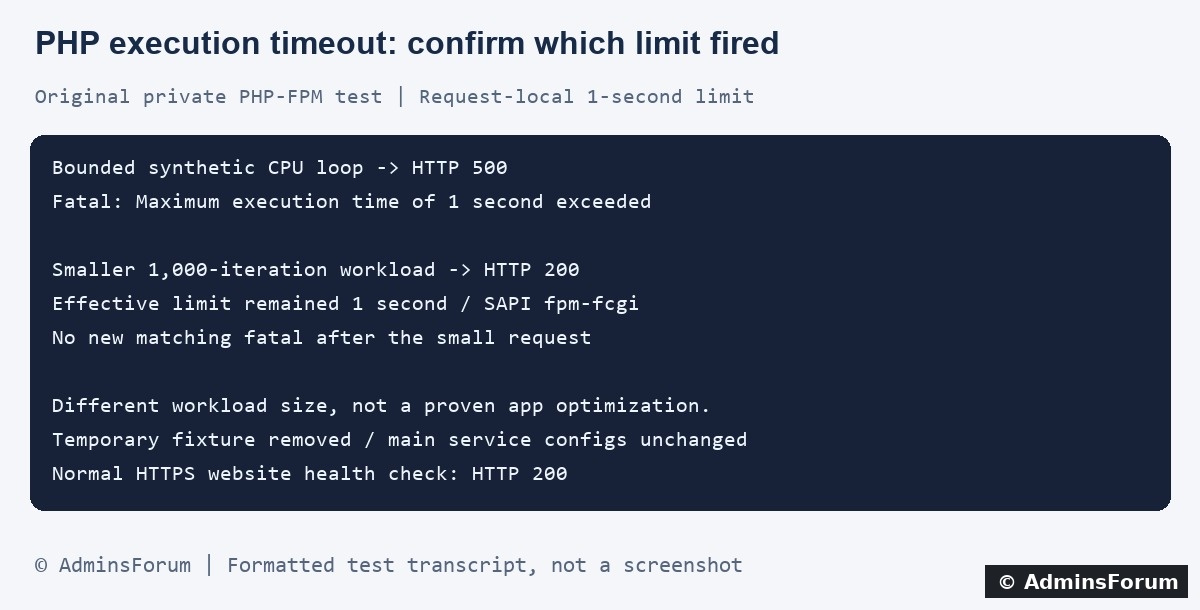
Original AdminsForum private lab evidence, formatted as a transcript rather than a screenshot.
1. Confirm the fatal error and failing action
Record the time and timezone, URL path, action, input size and whether the operation changed data before failing. Do not repeatedly resubmit an import, purchase or other action that might have partial side effects.
In aaPanel open Website → PHP Project, find the affected site and select Log → Error log. Correlate the entry with the access log and application's private logs. Panel labels vary by version.
Our lab site's normal error-log path is:
Use your own configured path. A bounded SSH example is:
The private test captured:
Keep public error display off. Redact private paths, query values and customer data before sharing a short log excerpt.
2. Separate the timers involved
3. Verify the PHP context used by the website
Confirm the site's selected PHP version in aaPanel. CLI PHP, scheduled jobs and PHP-FPM can load different configuration. A successful SSH test does not prove a website request has the same limit.
In a protected diagnostic context for the relevant request, inspect:
These are diagnostic expressions, not a public phpinfo endpoint to leave online. Check pool-level or application overrides and verify the effective value after any supported change.
On Unix-like systems, PHP's execution-time accounting does not generally include time spent outside script execution in activities such as system calls, stream operations or database queries. PHP documents different wall-time behavior on Windows. Do not treat this setting as a universal end-to-end request deadline, and do not use sleep alone as proof that the execution timer is broken.
4. What our private lab demonstrated
We used the installed PHP-FPM service through a separate loopback-only Nginx endpoint. The fixture applied and verified a request-local one-second execution limit. Its longer branch also had an independent three-second wall-clock loop bound to avoid an unbounded test.
The disposable PHP file was removed, the private listener stopped and its PID file disappeared. Hash checks confirmed the main Nginx configuration, PHP-FPM pool configuration and php.ini were unchanged. The normal HTTPS website returned 200 afterward.
5. Trace where the real work consumes time
Use the failing request and code path to narrow the investigation. A PHP-FPM slow-log stack, protected application timing or controlled staging profiler can help identify repeated loops, large batches and expensive transformations.
Inspect SQL plans and external-service behavior when relevant, but remember that elapsed request time and PHP's execution accounting are not identical. A stack stopped at one line does not establish that every earlier step was cheap.
Compare recent application, plugin and input changes. For legitimate long work, consider supported batching or a background-job design with progress and a clear completion result. Preserve validation, consistency and resumability; simply processing fewer records is not a complete repair if the user needs all of them processed.
6. Assess partial progress before retrying
A fatal error can happen after earlier database writes or external actions. Check the application's transaction and job state before repeating it. A database rollback cannot undo an already sent message or other external side effect.
Use the application's supported recovery or idempotent retry mechanism. Do not keep refreshing a failed operation until it appears to work. Our lab manipulated no real business data and did not test an application's rollback or resume behavior.
7. If a finite increase is justified, make it scoped
Back up the relevant configuration and record the old value and affected sites. Confirm the workload's legitimate expected duration and the server's capacity for occupied PHP workers.
In aaPanel open the installed PHP version used by the site and inspect its configuration/limit controls. Labels vary. Determine whether a setting affects every site on that PHP version or only the intended application. Apply through the supported workflow and reload the relevant service if required, then check the effective value in the actual website context.
Avoid disabling the limit globally or repeatedly resetting a timer to conceal runaway work. A larger allowance can keep workers occupied longer and does not make the operation faster. Coordinate any justified change with the other request budgets and keep a rollback plan.
8. Verify completion, time and resource use
Repeat the safe representative operation in staging and check the actual result, processed counts and logs. Confirm all required work completed, rather than accepting HTTP 200 or a missing fatal as the only evidence.
Observe response time and PHP/server resource use under an appropriate workload. Check that ordinary requests still receive service. Remove diagnostic code and restore the previous setting if a change causes pressure or fails to solve the demonstrated problem.
For a support request
Include the PHP version/SAPI, effective limit, time, action, input scale and a short redacted fatal. Describe any partial progress and recent changes without sharing passwords, private input files or full logs.
Related guides
Trace slow PHP requests
Investigate upstream 504 errors
Distinguish incoming request timeouts
Monitor server resources during controlled tests
Technical reference
PHP execution-time limits and platform differences
This guide reproduces the PHP error with a short, bounded synthetic CPU workload on a private endpoint. A smaller workload completes under the same request-local limit. It is a timeout demonstration, not a claim that we optimized or completed a real import.
Original AdminsForum private lab evidence, formatted as a transcript rather than a screenshot.
1. Confirm the fatal error and failing action
Record the time and timezone, URL path, action, input size and whether the operation changed data before failing. Do not repeatedly resubmit an import, purchase or other action that might have partial side effects.
In aaPanel open Website → PHP Project, find the affected site and select Log → Error log. Correlate the entry with the access log and application's private logs. Panel labels vary by version.
Our lab site's normal error-log path is:
Code:
/www/wwwlogs/adminslab.com.error.logCode:
tail -n 100 /www/wwwlogs/example.com.error.logCode:
PHP Fatal error: Maximum execution time of 1 second exceeded2. Separate the timers involved
- PHP execution limit: the exact fatal above identifies this layer in our test.
- PHP-FPM worker termination: a pool can have a separate termination allowance; inspect its evidence rather than assuming it is the same setting.
- Nginx upstream timeout: a 504 and upstream-wait log entry need a proxy/FastCGI investigation.
- Incoming request timeout: a stalled request body can be logged as 408 before the application processes it.
3. Verify the PHP context used by the website
Confirm the site's selected PHP version in aaPanel. CLI PHP, scheduled jobs and PHP-FPM can load different configuration. A successful SSH test does not prove a website request has the same limit.
In a protected diagnostic context for the relevant request, inspect:
Code:
PHP_VERSION
PHP_SAPI
php_ini_loaded_file()
ini_get('max_execution_time')On Unix-like systems, PHP's execution-time accounting does not generally include time spent outside script execution in activities such as system calls, stream operations or database queries. PHP documents different wall-time behavior on Windows. Do not treat this setting as a universal end-to-end request deadline, and do not use sleep alone as proof that the execution timer is broken.
4. What our private lab demonstrated
We used the installed PHP-FPM service through a separate loopback-only Nginx endpoint. The fixture applied and verified a request-local one-second execution limit. Its longer branch also had an independent three-second wall-clock loop bound to avoid an unbounded test.
- The bounded synthetic CPU loop hit the PHP limit and returned 500. The log recorded the exact one-second maximum-execution fatal.
- A separate branch performed 1,000 small synthetic iterations and returned 200, reporting effective limit 1 and SAPI fpm-fcgi.
- The subsequent log section contained no new matching execution-time fatal.
The disposable PHP file was removed, the private listener stopped and its PID file disappeared. Hash checks confirmed the main Nginx configuration, PHP-FPM pool configuration and php.ini were unchanged. The normal HTTPS website returned 200 afterward.
5. Trace where the real work consumes time
Use the failing request and code path to narrow the investigation. A PHP-FPM slow-log stack, protected application timing or controlled staging profiler can help identify repeated loops, large batches and expensive transformations.
Inspect SQL plans and external-service behavior when relevant, but remember that elapsed request time and PHP's execution accounting are not identical. A stack stopped at one line does not establish that every earlier step was cheap.
Compare recent application, plugin and input changes. For legitimate long work, consider supported batching or a background-job design with progress and a clear completion result. Preserve validation, consistency and resumability; simply processing fewer records is not a complete repair if the user needs all of them processed.
6. Assess partial progress before retrying
A fatal error can happen after earlier database writes or external actions. Check the application's transaction and job state before repeating it. A database rollback cannot undo an already sent message or other external side effect.
Use the application's supported recovery or idempotent retry mechanism. Do not keep refreshing a failed operation until it appears to work. Our lab manipulated no real business data and did not test an application's rollback or resume behavior.
7. If a finite increase is justified, make it scoped
Back up the relevant configuration and record the old value and affected sites. Confirm the workload's legitimate expected duration and the server's capacity for occupied PHP workers.
In aaPanel open the installed PHP version used by the site and inspect its configuration/limit controls. Labels vary. Determine whether a setting affects every site on that PHP version or only the intended application. Apply through the supported workflow and reload the relevant service if required, then check the effective value in the actual website context.
Avoid disabling the limit globally or repeatedly resetting a timer to conceal runaway work. A larger allowance can keep workers occupied longer and does not make the operation faster. Coordinate any justified change with the other request budgets and keep a rollback plan.
8. Verify completion, time and resource use
Repeat the safe representative operation in staging and check the actual result, processed counts and logs. Confirm all required work completed, rather than accepting HTTP 200 or a missing fatal as the only evidence.
Observe response time and PHP/server resource use under an appropriate workload. Check that ordinary requests still receive service. Remove diagnostic code and restore the previous setting if a change causes pressure or fails to solve the demonstrated problem.
For a support request
Include the PHP version/SAPI, effective limit, time, action, input scale and a short redacted fatal. Describe any partial progress and recent changes without sharing passwords, private input files or full logs.
Related guides
Trace slow PHP requests
Investigate upstream 504 errors
Distinguish incoming request timeouts
Monitor server resources during controlled tests
Technical reference
PHP execution-time limits and platform differences